Know your connection is up — at a glance.
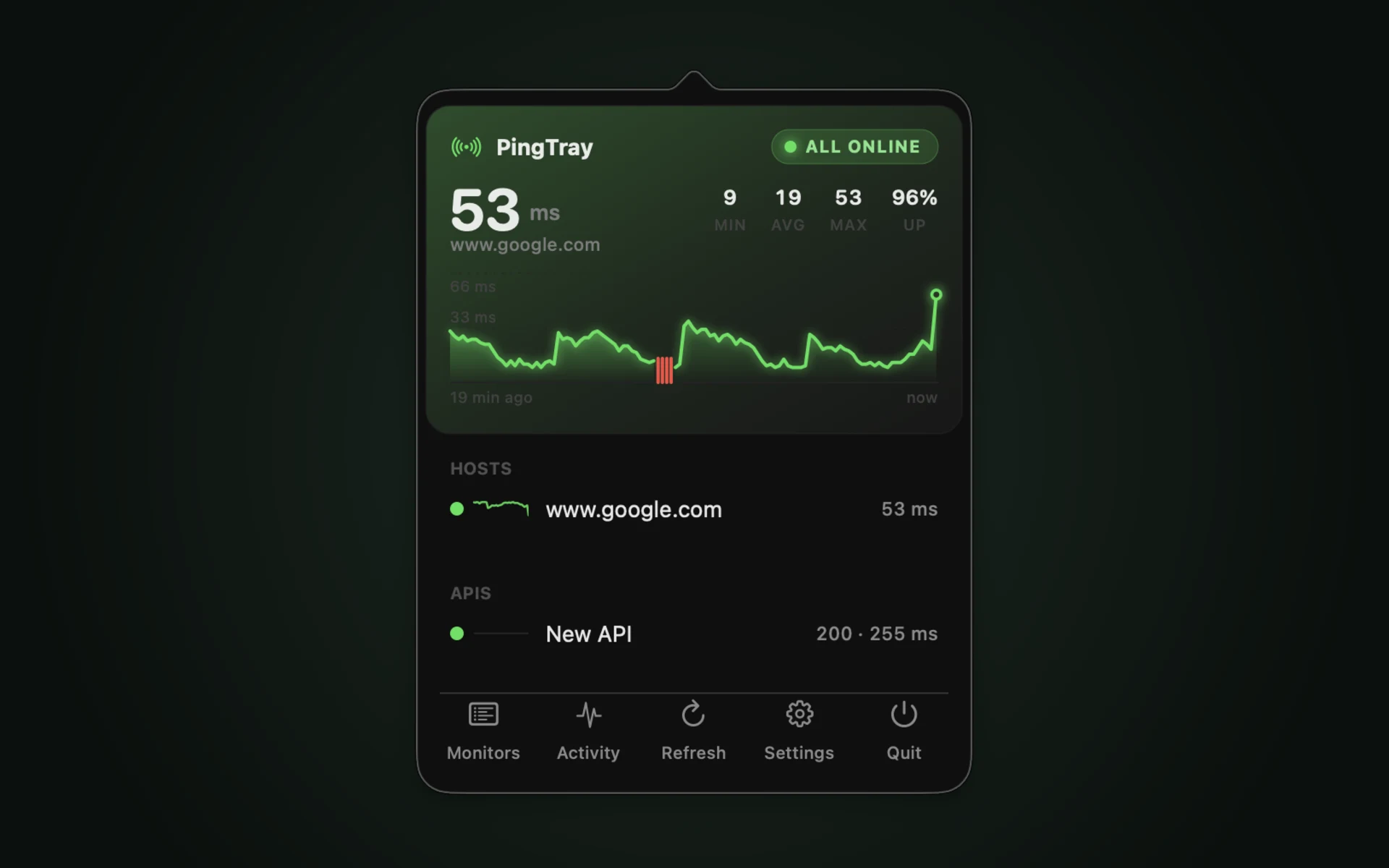
PingTray is a tiny macOS menu-bar app that pings your host on an interval and shows a green or red dot. Latency, status, and last check, one click away.

Requires macOS 13 or later · No Dock icon · ~1 MB
Scanned for known vulnerabilities on Oct 11, 2026 · Security status
A small app with a clear signal
Status at a glance
A green dot the moment a ping succeeds, red when it fails or the network path drops. The status stays visible in your menu bar — there is no window to open.
Adaptive polling
Checks every 10 seconds while the connection is stable, then tightens to 5 seconds at the first sign of trouble and returns to its calm cadence after three clean pings.
Genuine latency
Measures the actual TCP connect time to your host on port 443. Sandbox-safe by design, with no reliance on /sbin/ping.
Out of the way
Built on native AppKit. It lives in the menu bar with no Dock icon and draws minimal CPU and memory while it watches.
Your Mac, from your pocket
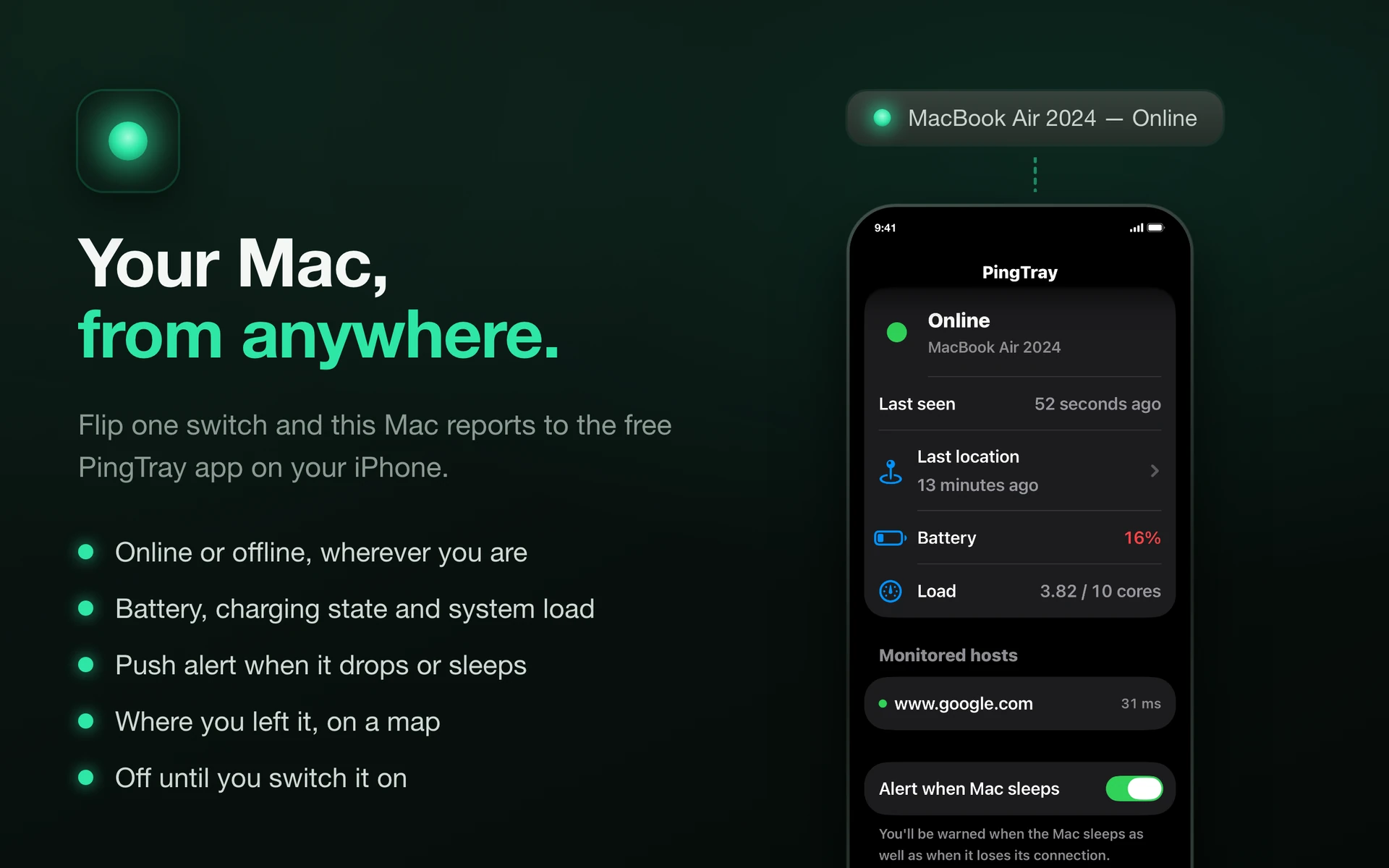
Pair PingTray on your iPhone and see whether your Mac is online — wherever you are.
Requires iOS 17 or later · Free · Now on the App Store
Know it's up
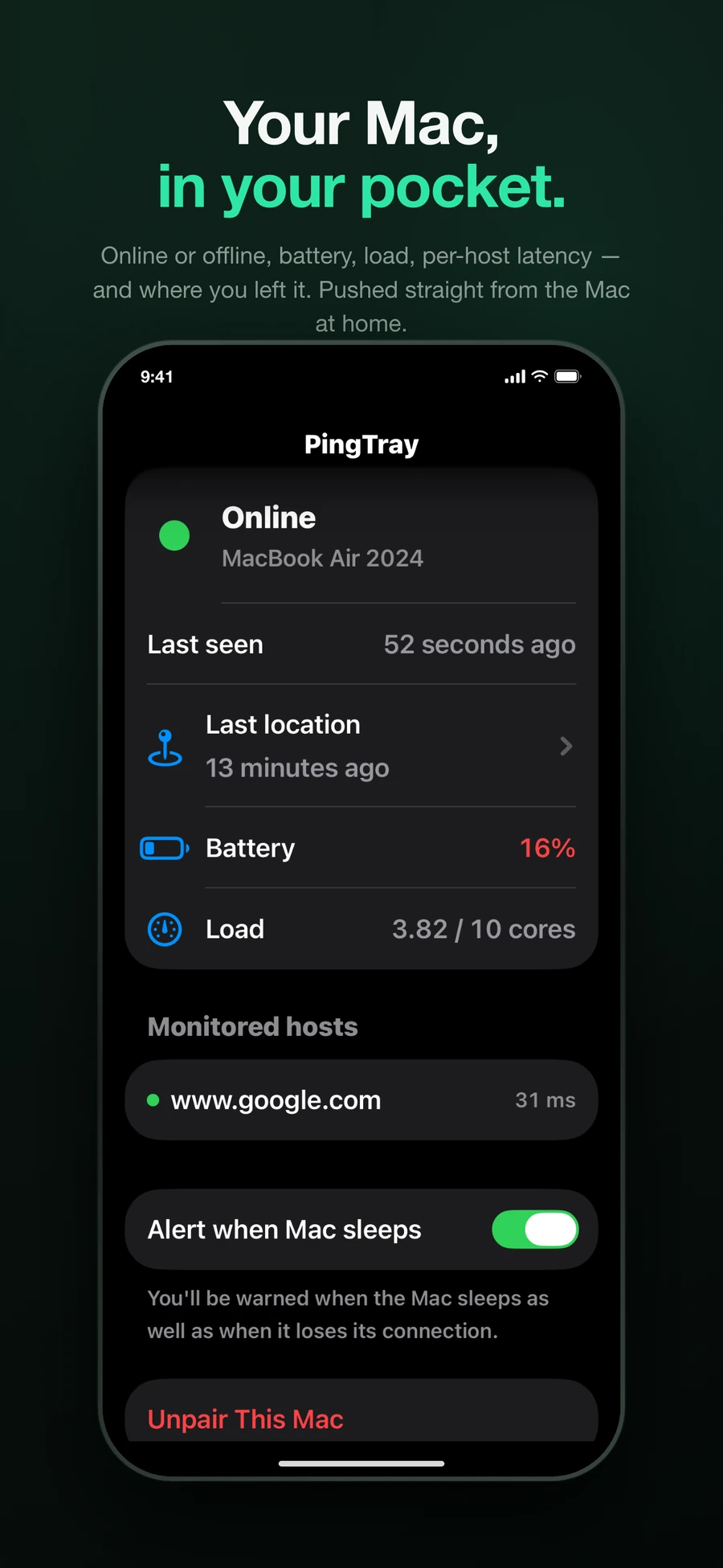
Your Mac reports in every minute. The iPhone app shows online, asleep, or offline at a glance, alongside the hosts it is watching.
Get warned when it isn't
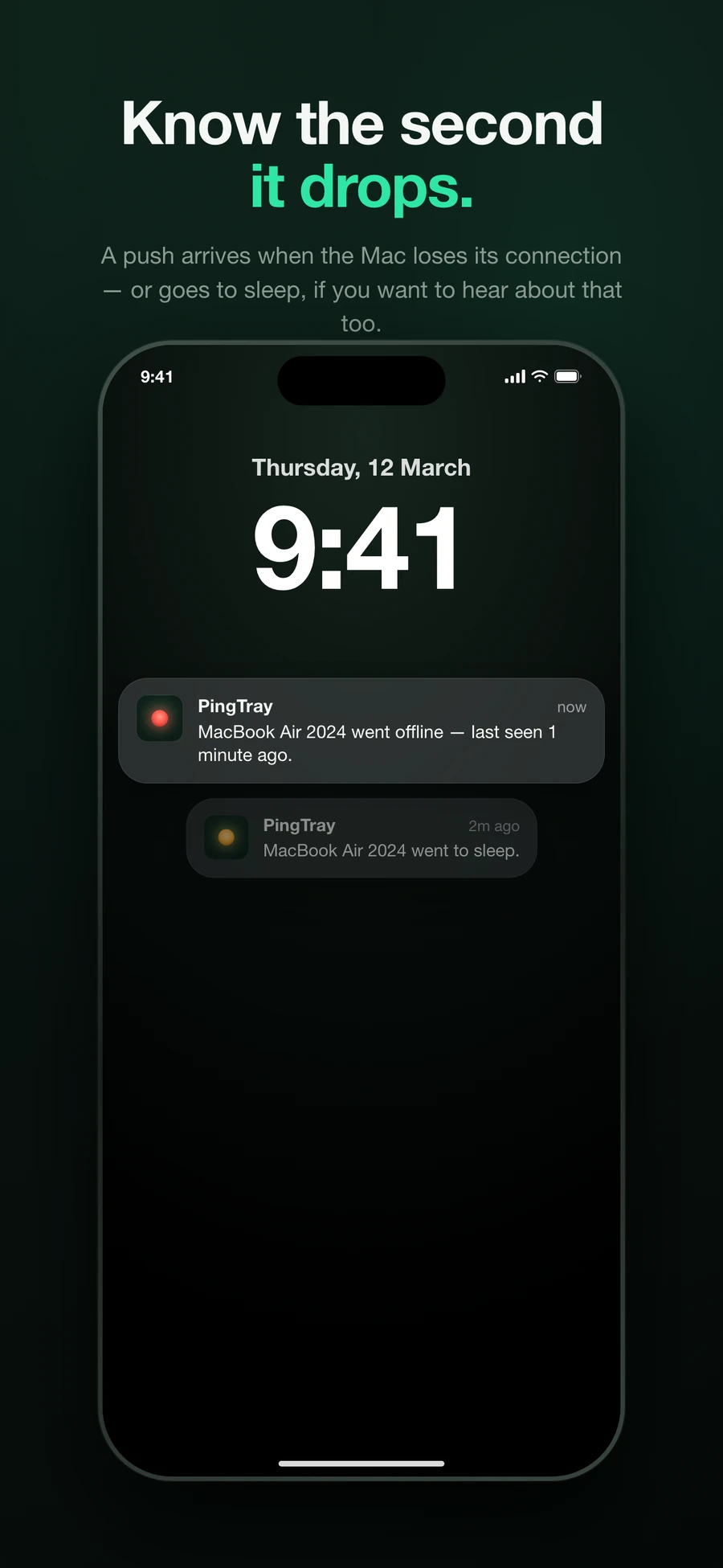
A Mac that loses its connection cannot tell you so. PingTray notices the silence instead and sends a push notification — after five minutes, so a router reboot doesn't wake you.
Battery and load
See the charge level, whether it's plugged in, and how hard the machine is working — without reaching for a screen sharing session.
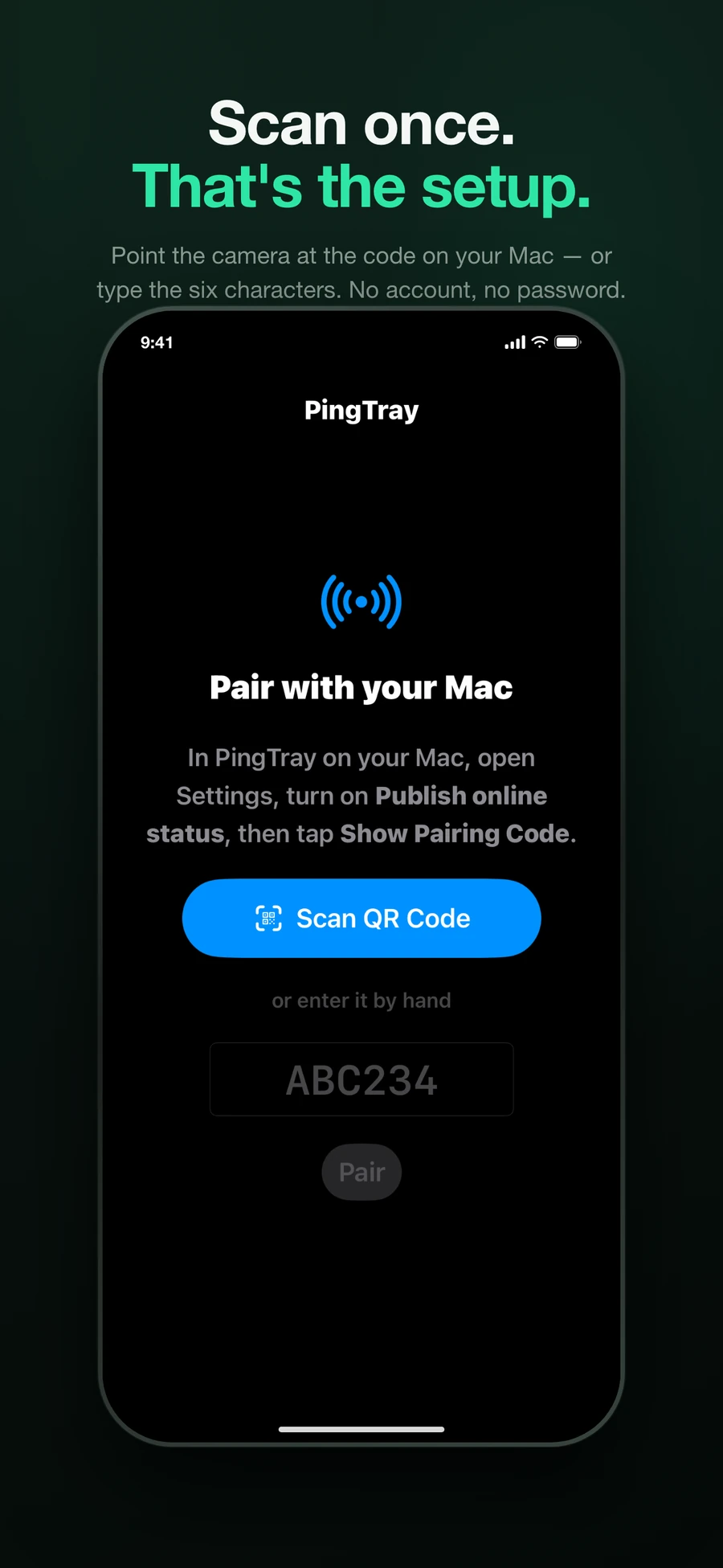
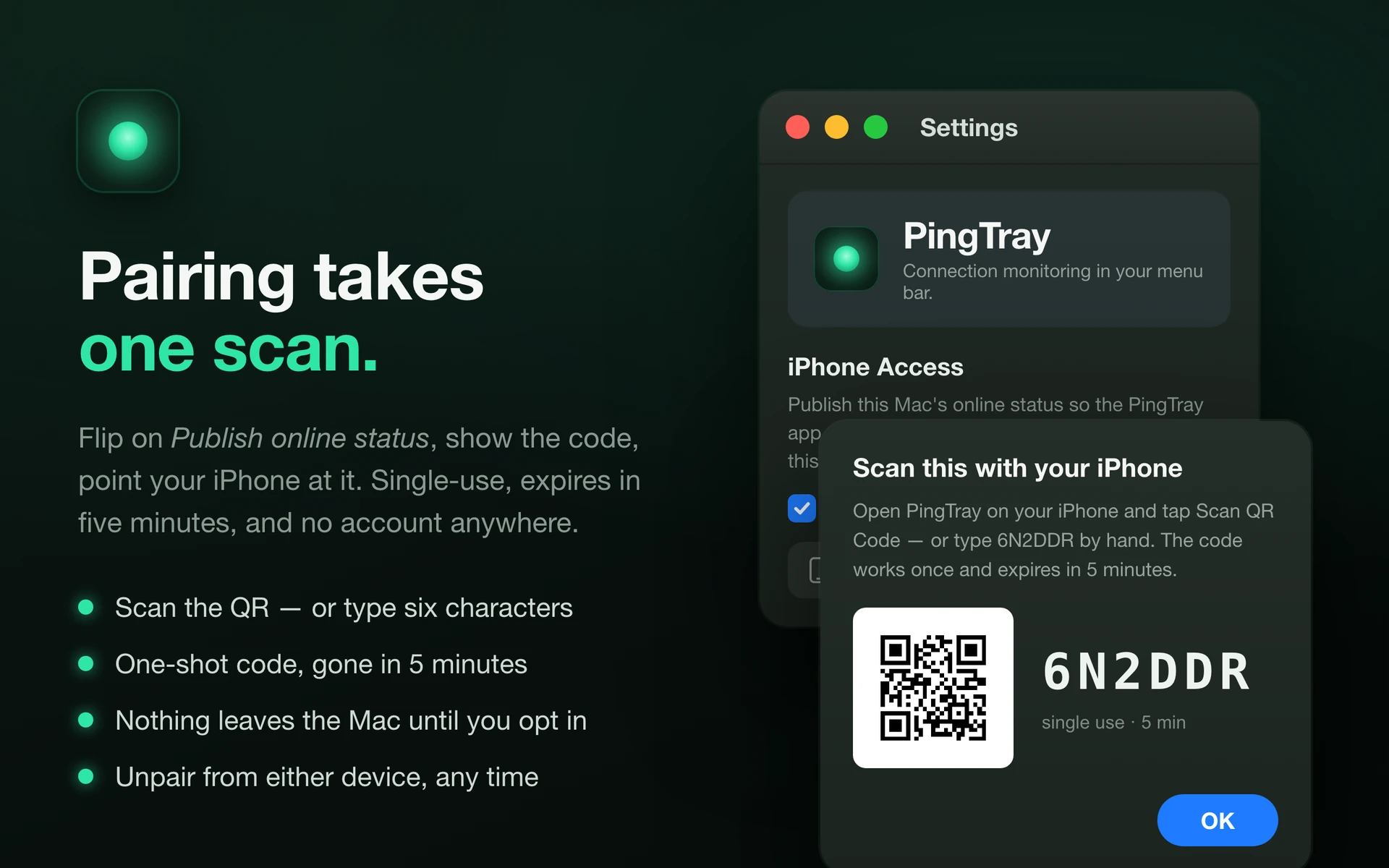
Pair by scanning
Your Mac shows a QR code; point your iPhone at it. Or type the six characters by hand — both do the same thing.
Where you left it
Switch it on and every report carries the Mac's last known location, which the iPhone draws on a map — as precise as the Wi-Fi networks around it, which is to say roughly, not to the metre.
Off by default. Nothing leaves your Mac until you switch it on, and unpairing stops it again.
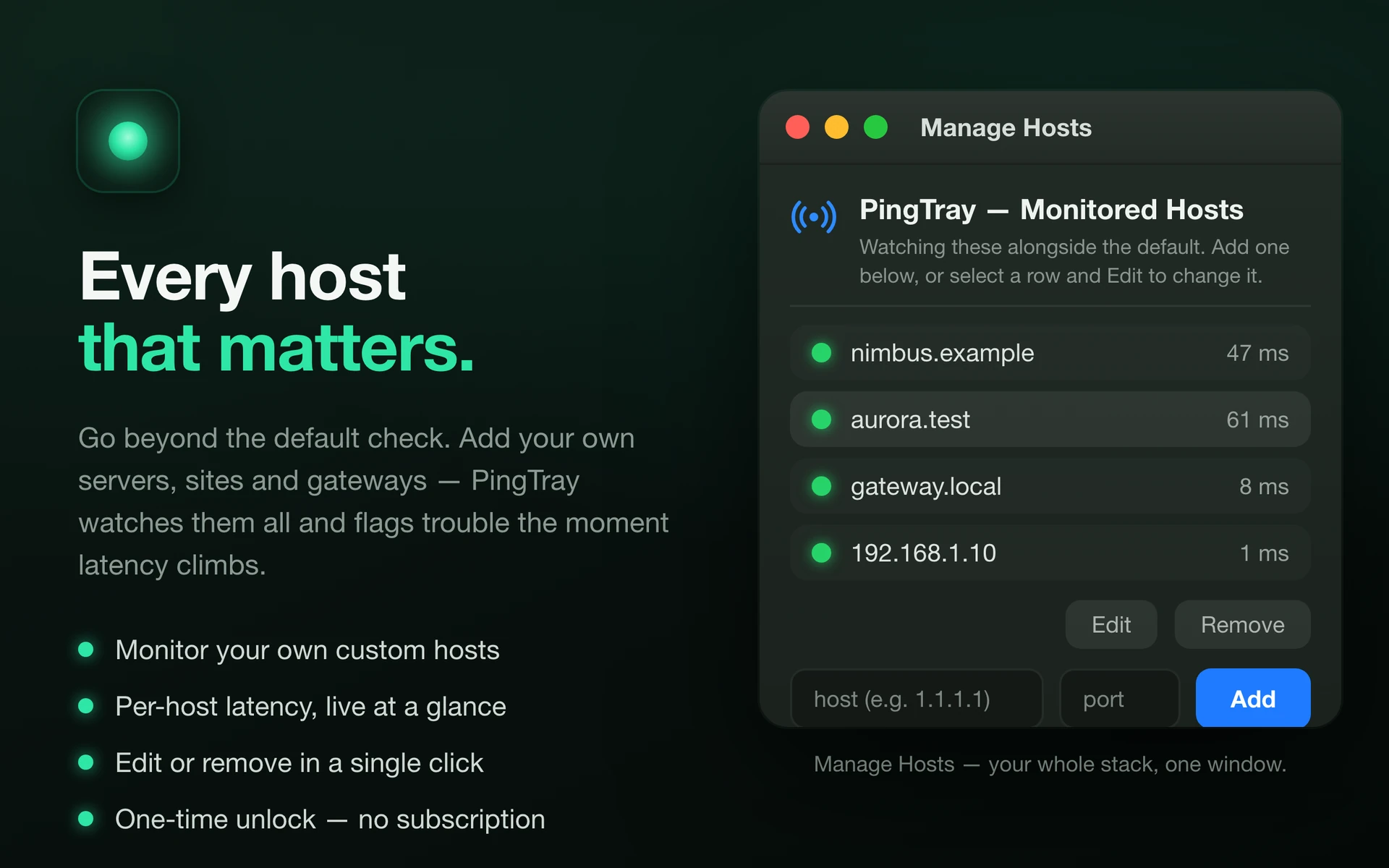
A one-time unlock in the Mac app — no subscription. The iPhone companion is free and has nothing to buy.
Ask Claude about your Mac
You pair a model the way you pair a phone. PingTray serves an MCP endpoint, so Claude — or any MCP client — can ask whether your Mac is up, what it can still reach, and where it last was. Reading only: nothing an assistant does here can change anything on your Mac.
Show a pairing code
On the Mac: Settings → iPhone Access → Show Pairing Code. The same six characters an iPhone uses.
Redeem it once for a token
A code works once and lasts five minutes; the token it returns lasts a year.
curl -sX POST https://pingtray.sp33c.tech/api/v1/pair \
  -H 'Content-Type: application/json' -d '{"code":"ABC234"}'
Add the server
In Claude Code, or the equivalent in whichever MCP client you use.
claude mcp add --transport http pingtray https://pingtray.sp33c.tech/mcp \
  --header "Authorization: Bearer <readToken>"
The token is exactly as privileged as a paired iPhone: read-only, one Mac, and no account anywhere in it. Turning off publishing on the Mac cuts it off along with your phones.
Get in touch
Questions, bugs, or ideas? Send a message. We'll email you a confirmation link first — click it and your message reaches us.